
 AsimAli
WooCommerce powers many online stores by helping businesses manage products, payments, shipping, customers, and orders through WordPress. As these platforms continue to improve, store owners need their extensions to work smoothly with new software versions. This is where woocommerce plugin development becomes important. 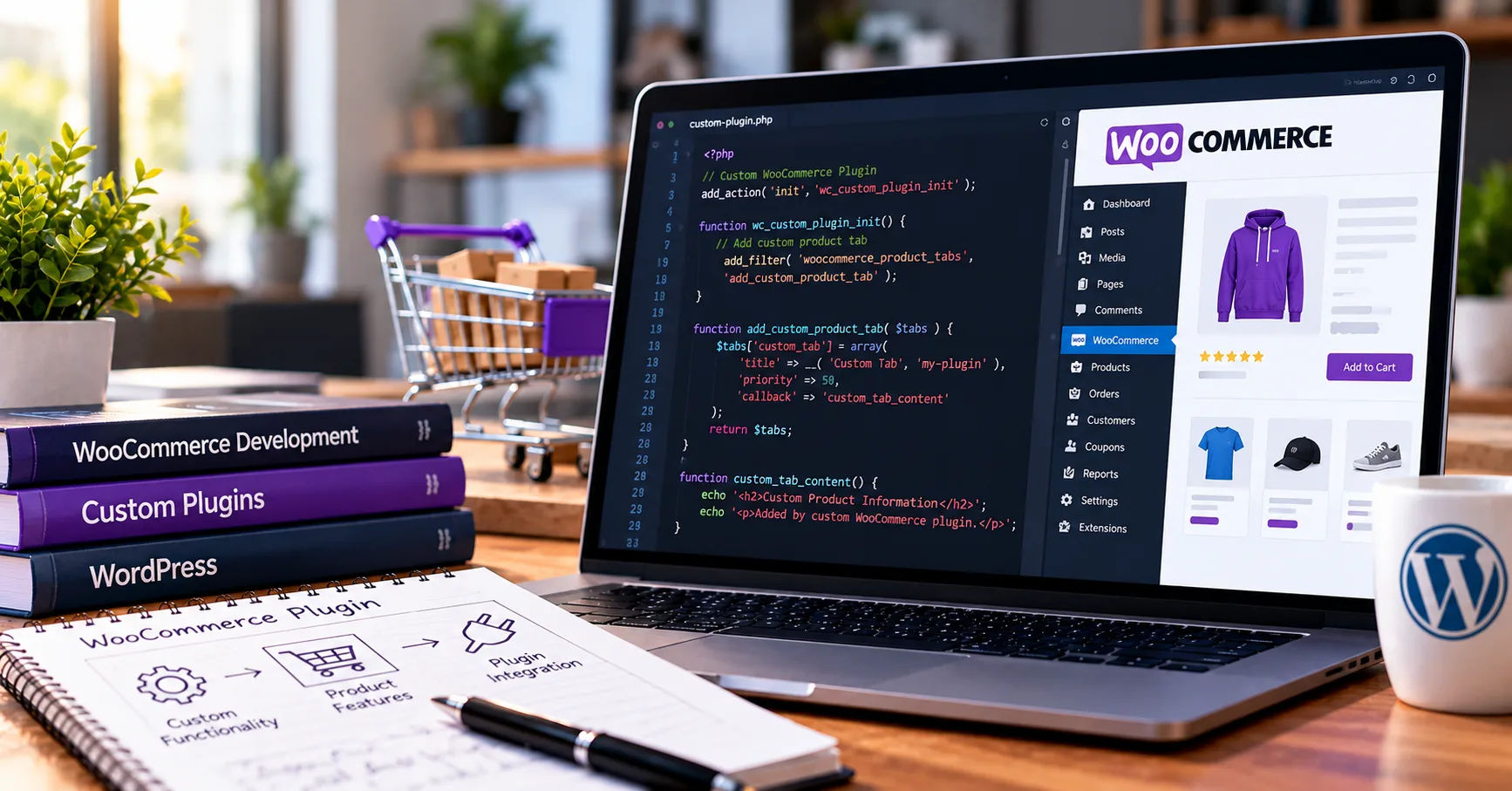 Developers must create plugins that work with the current system while remaining reliable as WordPress, WooCommerce, themes, and other extensions change.
Compatibility is not something developers should consider only after a plugin has been completed. It should be part of every stage, from planning and coding to testing, release, and ongoing maintenance. A plugin that works perfectly on one website may fail on another because of differences in server settings, installed extensions, database structures, or software versions.
For this reason, developers use coding standards, version checks, automated tests, secure programming methods, and regular updates to reduce the risk of problems. They also monitor changes in the WordPress and WooCommerce ecosystems to identify possible conflicts before those conflicts affect customers.
Understanding these practices helps store owners choose dependable extensions and helps developers build software that can support long-term business growth. The following guide explains the main methods used to keep WooCommerce plugins compatible, why they matter, and how they can be applied in real projects.
1. Plugin Compatibility
Plugin compatibility means an extension can operate correctly with the software, tools, and environment it is designed to support. For a WooCommerce plugin, this usually includes WordPress, WooCommerce, PHP, the database, the active theme, and other installed plugins.
A compatible woocommerce plugin development should perform its intended functions without causing errors, slowing down essential processes, damaging stored information, or interfering with other features.
Compatibility With WordPress
WordPress provides the foundation for WooCommerce websites. Plugins rely on its functions, hooks, permissions, database tools, and administration features.
When WordPress changes, some functions may be updated, deprecated, or removed. Developers must understand these changes and avoid depending on outdated methods that could stop working in future releases.
Compatibility With WooCommerce
WooCommerce adds online shopping features to WordPress. Its updates can affect checkout, cart management, product information, order processing, payment integration, and the administration interface.
A plugin that interacts with these features must follow WooCommerce's supported development practices. Developers should review release notes and migration guidance whenever a new version introduces changes that may affect their code.
Compatibility With PHP and Hosting Environments
PHP is the programming language used by WordPress and WooCommerce. Different PHP versions can support different language features and functions.
Developers should identify the PHP versions their plugin supports and avoid using features unavailable in those environments. They should also consider database versions, memory limits, and other hosting requirements when testing their software.
2. Following WordPress and WooCommerce Coding Standards
Coding standards help developers write clear, consistent, and maintainable code. Well-organized code is easier to test, understand, troubleshoot, and update when software requirements change.
Using WordPress Coding Standards
WordPress provides guidelines for naming, formatting, documentation, security, and general programming practices. Following these guidelines makes plugins easier for other developers to maintain.
Developers should use descriptive function names, organize related features into suitable files, document complex logic, and avoid unnecessary duplication. Consistent formatting also helps teams identify errors during code reviews.
Automated tools such as PHP_CodeSniffer can check code against WordPress coding standards. These tools do not guarantee complete compatibility, but they can identify common problems early.
Using Hooks Instead of Changing Core Files
WordPress and WooCommerce provide actions and filters that allow developers to extend existing functionality. Actions let plugins respond to events, while filters allow them to modify values as data moves through the application.
Using these hooks is generally safer than editing WordPress or WooCommerce core files. Core modifications can disappear during updates and may introduce conflicts with other extensions.
For example, a plugin that adds information to an order confirmation page should use an appropriate supported extension point rather than changing WooCommerce's original template unnecessarily.
Keeping Code Modular
Modular code separates a plugin into smaller components with clear responsibilities. A payment-related feature, an administration screen, and a reporting tool can be organized independently while sharing a common structure.
This approach makes testing easier because developers can examine individual components without repeatedly reviewing the entire plugin. It also reduces the chance that changing one feature will unexpectedly affect another.
3. Managing Version Requirements Properly
Every plugin should clearly define the software versions it supports. Without this information, users may install an extension on an environment where it cannot function correctly.
Declaring Supported Versions
Developers should specify the minimum supported WordPress, WooCommerce, and PHP versions in the plugin's main file and documentation. These requirements help users determine whether their websites meet the necessary conditions before installation.
The declared requirements must reflect actual testing. Claiming compatibility with an older version without verifying it can create unnecessary problems for customers.
Developers should also avoid raising minimum requirements without a valid reason. When a newer PHP feature becomes necessary, they should explain the change and consider how it affects existing users.
Checking Dependencies
Some plugins require WooCommerce to be installed and activated before their features can operate. Developers should check these dependencies before loading WooCommerce-specific functionality.
If the required software is missing, the plugin should display a helpful administration notice instead of producing fatal errors. This makes the problem easier to understand and resolve.
Version checks should also be used carefully. A plugin should not assume that every feature is available simply because WooCommerce is active. Some functions may only exist in particular versions, so developers need to verify their availability before calling them.
4. Testing Against Multiple Software Versions
Testing is one of the most effective ways to maintain compatibility. A plugin may work correctly on a developer's computer but fail on a customer's website because the environments are different.
Creating a Testing Matrix
A testing matrix is a planned list of software combinations used to evaluate a plugin. It may include different WordPress versions, WooCommerce versions, PHP versions, themes, and other important dependencies.
For example, developers may test the plugin against the oldest supported environment and the newest supported environment. They can also test selected combinations that are common among their customers.
Testing every possible combination may be too expensive. A carefully chosen matrix helps identify important risks without requiring an unrealistic number of tests.
Using Automated Tests
Automated tests check whether specific parts of a plugin behave as expected. Developers can create tests for product calculations, checkout validation, order updates, settings, and other important functions.
Unit tests focus on individual components. Integration tests examine how components interact with WordPress or WooCommerce. End-to-end tests simulate complete user journeys, such as adding a product to the cart and completing checkout.
These tests can run whenever developers change the code. If a new update breaks an existing feature, the test results can reveal the problem before the plugin reaches customers.
Performing Manual Testing
Automated tests cannot identify every possible problem. Manual testing allows developers to examine real user experiences and unusual situations that automated checks may miss.
They should test administration screens, mobile layouts, payment flows, shipping calculations, and error messages where relevant. They should also verify that existing settings and customer information remain intact after an update.
5. Keeping Up With WooCommerce Updates
WooCommerce regularly improves its features, security, performance, and internal systems. Developers must review these changes to understand how they affect their extensions.
Reviewing Release Notes
Release notes explain important changes introduced by new software versions. Developers should pay attention to deprecated functions, changed hooks, database updates, security improvements, and modifications to checkout or order management.
A function marked as deprecated may still work today, but developers should plan to replace it before it is removed. Ignoring these warnings can turn a minor maintenance task into a major compatibility problem.
Preparing for Major Releases
Major updates may introduce significant changes to existing functionality. Before supporting a new release, developers should test their plugins in a staging environment that resembles a real store.
A staging website allows them to identify problems without affecting customers or live transactions. Once testing is successful, the updated plugin can be deployed according to a planned release process.
Avoiding Unnecessary Delays
Developers should not wait until customers report widespread errors before investigating compatibility. Monitoring official announcements, testing prerelease software when practical, and reviewing development discussions can provide early warnings.
Early preparation gives development teams more time to correct problems and publish reliable updates.
6. Supporting WooCommerce Blocks and Modern Features
WooCommerce continues to develop its shopping experience, including block-based interfaces and newer checkout functionality. Plugins must account for these features when their purpose involves the cart, checkout, or product display.
Understanding Block-Based Interfaces
Blocks allow users to build pages through visual editing tools. However, a plugin designed for older shortcode-based pages may not automatically work with every block-based feature.
Developers should determine which interfaces their plugin needs to support. If it changes checkout fields, displays delivery options, or adds payment functionality, additional integration work may be required.
Testing Checkout Extensions
Checkout is one of the most sensitive parts of an online store. A compatibility problem here can prevent customers from placing orders.
Developers should follow the supported extension methods for the checkout experience they intend to support. They must also test validation, payment processing, order confirmation, and relevant customer interactions.
Support for traditional checkout and block-based checkout should be stated clearly when both are relevant. This helps store owners understand the plugin's capabilities before installation.
7. Protecting Data and Maintaining Database Compatibility
A compatible plugin must protect stored information when software changes. Product details, customer records, order information, and plugin settings should remain accurate during upgrades.
Using Supported Database Methods
Developers should use WordPress database functions and APIs wherever appropriate. These tools help maintain consistent behavior and reduce risks associated with direct database operations.
Database queries should be prepared safely to prevent SQL injection. Developers must also handle missing values, unexpected data formats, and failed database operations without causing further damage.
Managing Database Changes
Sometimes a plugin needs to add a table, introduce a setting, or change how information is stored. These changes should be planned carefully.
Developers can use versioned database migrations to track which changes have already been applied. Each migration should be designed to run safely and avoid repeating destructive operations.
Before modifying important data structures, developers should consider backups, rollback options, and recovery procedures. Testing migrations on realistic copies of production data can reveal issues that simple test records may not expose.
Respecting High-Performance Order Storage
WooCommerce's High-Performance Order Storage, commonly called HPOS, provides a dedicated order-storage system. Extensions that read or update orders must use supported WooCommerce APIs instead of assuming that order data always resides in the traditional WordPress posts tables.
Developers should declare HPOS compatibility only after reviewing their code and testing relevant operations. Correct support helps prevent order information from becoming unavailable or inconsistent.
8. Preventing Conflicts With Other Plugins and Themes
A WooCommerce website may contain extensions for subscriptions, shipping, taxes, marketing, analytics, and payment processing. Compatibility depends partly on how well these components work together.
Avoiding Naming Conflicts
Developers should use unique prefixes or namespaces for functions, classes, constants, and other identifiers. Generic names can collide with names used by another plugin, causing unexpected behavior.
Modern PHP namespaces can help organize code and reduce the risk of these collisions.
Using Theme-Friendly Methods
Plugins should avoid making unnecessary assumptions about a theme's layout or structure. When adding frontend content, developers should use suitable hooks, supported templates, and clear styling rules.
They should also avoid overriding global styles that could change unrelated parts of a website. Testing with more than one theme can reveal design problems that would otherwise go unnoticed.
Diagnosing Conflicts Systematically
When a problem occurs, developers can reproduce it on a staging website and temporarily disable unrelated extensions to identify the cause. They can then reintroduce components one at a time.
This method helps distinguish problems caused by the plugin itself from issues created by interactions between multiple extensions. Error logs and browser developer tools can provide additional evidence.
9. Maintaining Security and Performance
Security and performance are important parts of long-term compatibility. A plugin that works functionally but creates security vulnerabilities or excessive server load is not dependable.
Following Secure Coding Practices
Developers should validate incoming data, sanitize values appropriately, escape output, and check permissions before allowing sensitive actions.
Administrative operations that change settings or important records should use appropriate nonce verification and capability checks. These protections reduce the risk of unauthorized actions.
Developers must also review external libraries and dependencies for security updates. Outdated libraries can introduce vulnerabilities even when the plugin's own code has not changed.
Improving Performance
Slow database queries, unnecessary scripts, and repeated calculations can affect the entire store. Developers should load resources only where needed and avoid running expensive operations on every page request.
Caching may improve performance, but cached information must be invalidated when relevant products, settings, or orders change. Otherwise, customers could see outdated information.
Performance testing should include important store activities, particularly cart updates, checkout, and order administration.
10. Using Continuous Integration and Deployment
Continuous integration helps developers test code automatically whenever changes are submitted. It creates a repeatable process for checking whether new work introduces errors.
Automating Quality Checks
A continuous integration pipeline may run coding-standard checks, static analysis, automated tests, and compatibility checks against selected software versions.
Static analysis examines code for potential problems without necessarily executing it. Combined with automated testing, it can reveal issues earlier in the development process.
These checks are especially valuable when multiple developers contribute to the same plugin.
Releasing Updates Carefully
A reliable release process includes version numbering, change documentation, testing, and a review of known limitations. Developers should explain important fixes and changes so users can understand the value of an update.
For business-critical plugins, staged deployment can reduce risk. Teams may test a release on a staging website before rolling it out to production.
They should also prepare a recovery plan for serious problems, particularly when an update affects payments, order processing, or stored data.
11. Monitoring Problems After Release
Compatibility work does not end when a plugin is published. Real websites contain many configurations that cannot all be reproduced in a test environment.
Collecting Useful Error Reports
Developers should provide a clear support process so users can report problems. Helpful reports may include software versions, error messages, relevant logs, and steps to reproduce the issue.
Logs should be handled carefully to avoid exposing passwords, payment details, personal information, or other sensitive data.
Maintaining a Feedback Loop
Support requests, bug reports, and customer feedback can reveal compatibility issues that automated tests missed. Developers should review recurring problems and use them to improve future testing.
When a serious defect is confirmed, they should prioritize a fix, communicate clearly with affected users, and verify the correction before release.
Keeping Documentation Current
Documentation should explain installation requirements, supported features, known limitations, update procedures, and troubleshooting steps.
When compatibility changes, the documentation must change too. Accurate guidance prevents users from relying on outdated instructions and helps them make better decisions about updates.
12. Practical Checklist for Developers and Store Owners
A simple checklist can help teams review compatibility before releasing or installing an extension.
-
Confirm supported WordPress, WooCommerce, and PHP versions.
-
Follow current WordPress coding standards and supported WooCommerce APIs.
-
Test important functions with automated and manual tests.
-
Check compatibility with relevant checkout systems and order-storage methods.
-
Review security, database migrations, and performance.
-
Test against common themes and important third-party extensions.
-
Read software release notes and address deprecated functionality.
-
Back up production data before significant updates.
-
Verify the plugin on a staging website before deployment.
-
Maintain clear documentation and a reliable support process.
-
Monitor errors and release fixes when new issues are discovered.
Following this checklist does not eliminate every possible problem, but it creates a consistent process for reducing risk and improving reliability.
Conclusion
Keeping a WooCommerce plugin compatible requires ongoing planning, testing, maintenance, and communication. Developers must understand how WordPress, WooCommerce, PHP, databases, themes, and other extensions work together. They also need to prepare for software updates, follow supported coding practices, protect stored information, and respond quickly when unexpected problems appear.
Successful woocommerce plugin development treats compatibility as a continuous responsibility rather than a one-time task. Version checks, automated testing, staging environments, secure database operations, and clear documentation all contribute to more dependable extensions. Supporting modern checkout experiences and HPOS is equally important for plugins that interact with orders or payment processes.
Store owners also have a role to play. They should keep their software updated, maintain backups, test significant changes before applying them to live websites, and choose plugins with clear support policies. Regular maintenance reduces the likelihood that a minor update will become a costly interruption.
Ultimately, compatibility depends on a shared commitment to quality. Developers who monitor changes and test their work carefully can create extensions that remain useful as the WooCommerce ecosystem evolves. By combining strong development practices with responsible maintenance, businesses can build more stable online stores, protect customer experiences, and support long-term growth.
